


WarehousePlus For Linnworks & the ScanSKU Barcode Scanner
 |
+ |
Warehouse Plus |
|---|
WarehousePlus For Linnworks I ScanSKU
Pick your orders with Linnworks
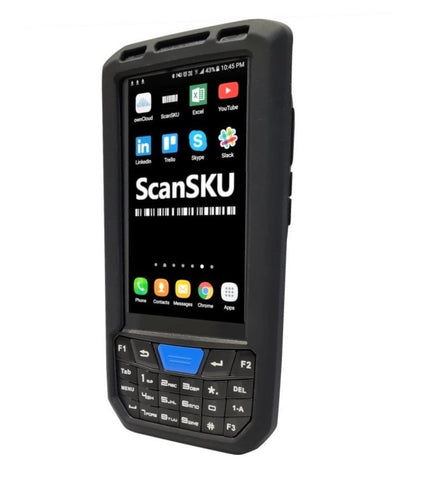
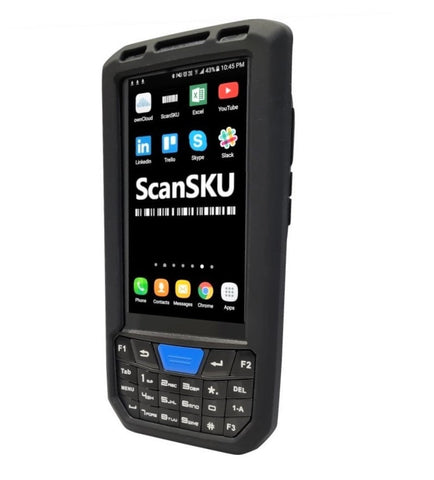
Warehouse Plus is an Android application for online sellers and other business people who use Linnworks. It allows you to do a variety of common tasks from your ScanSKU Barcode Scanner, and uses the built in scanner to scan barcodes, making data entry and searching for info even easier. No longer do you need to go back to your PC to perform common tasks in Linnworks – And in an app optimised for use on our R and M Series Scanners
Settings
To scan barcodes into the WarehousePlus application, ensure ‘Single Mode’ is selected under the “Output Mode” item on the M Series Scanners. Find the App called Scanner, open it, click on Settings and Select Output mode. Set it as Single Mode. Within the WarehousePlus app you also need to ensure ‘built in scanner’ is enabled under the Settings Menu
See below for a quick demo. This demo was recorded using our M Series Barcode Scanners
Software Compatibility Disclaimer
Our hardware is tested to ensure it works with the software packages listed on our website at the time of testing, using the software version available at that time. We aim to provide smooth setup, integration, and day-to-day operation based on those test results.
Because software providers may update, modify, or discontinue features at any time, we cannot guarantee ongoing compatibility after changes are made to their software. Updates may impact performance, functionality, or compatibility, and we are not responsible for issues caused by software changes outside our control.
We recommend you confirm compatibility directly with the software provider and review their release notes or update history before upgrading.